
How to Remove Air Bubbles from a TV Screen Protector
You just installed your TV screen protector. You stepped back to admire the result — and noticed bubbles.
Do not panic. This is the most common installation issue with TV screen protectors and in most cases it is completely fixable in under 5 minutes. This guide tells you exactly what to do, in the right order, so you do not make it worse.
First — Are These Small Bubbles or Large Bubbles?
This is the most important question before you do anything.
Small bubbles — less than 5mm across, edges not clearly defined These are air pockets that will disappear on their own within 24–48 hours at room temperature. The static cling film naturally pulls flat against the panel as it settles. Do not press them, do not lift the protector, do not apply heat. Just leave them and check again the next day. In 95% of cases they are completely gone.
Large bubbles — more than 5mm, with a visible hard edge These are caused by dust or debris trapped between the protector and the screen during installation. They will not disappear on their own. You need to remove the protector, clean the screen, and re-apply. The steps below cover exactly how to do this.
Why Bubbles Happen
Understanding the cause helps you fix it correctly and avoid it next time.
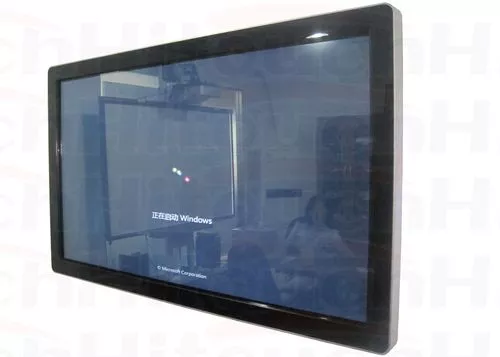
Dust on the screen surface is the most common cause of large, persistent bubbles. Even one microscopic dust particle trapped under the static cling film creates a visible bubble that grows slightly over time as the film tries to pull flat around it.
Touching the inner surface of the protector during installation leaves fingerprint oils that prevent the static cling from adhering evenly. These appear as irregular, soft-edged patches rather than the crisp-edged bubbles caused by dust.
Applying in a dusty room — ceiling fans running, windows open, or a room that has not been cleaned recently — increases airborne particles that settle on the screen and under the film during the 30–60 seconds between cleaning and applying.
Rushing the alignment — dropping the protector too fast during application — traps air before the film can fall flat naturally.
How to Remove Small Bubbles (Under 5mm)
Step 1 — Wait 24 hours first Do not touch small bubbles immediately after installation. The static cling film needs time to settle against the panel surface. Most small bubbles — including clusters of tiny ones near the edges — disappear completely within 24 hours at normal room temperature.
Step 2 — If still present after 24 hours, use the microfibre cloth Take the microfibre cloth included in your Screen Guardian box. Place it flat over the bubble. Apply very gentle pressure and slowly push from the centre of the bubble outward toward the nearest edge. Do not press hard — firm, slow, steady pressure is what works.
Step 3 — Push toward the nearest edge Air needs somewhere to go. Always push bubbles toward the nearest edge of the screen — not toward the centre. Work in one direction, not circular motions.
Step 4 — Give it another 12 hours After smoothing, give the film another 12 hours to settle. Remaining small bubbles almost always disappear completely with this extra time.
How to Remove Large Bubbles Caused by Dust
Large bubbles caused by dust require lifting the protector and re-applying. This sounds daunting — but the static cling design makes it straightforward.
What you need:
- The microfibre cloth from the box
- A low-dust room (bathroom after a hot shower works best)
- 10 minutes
Step 1 — Lift the protector from the nearest corner Use a fingernail or a soft card (credit card works) to gently lift the corner of the protector nearest to the bubble. Peel slowly — do not pull quickly or at a sharp angle.
Step 2 — Identify the dust Once the protector is lifted, look at the screen surface under bright light. You will see a small dust particle — often smaller than you expect for the size of bubble it created. You may also see a tiny raised bump on the inner surface of the protector film.
Step 3 — Clean the screen surface Use the microfibre cloth to wipe the screen where the dust was. One gentle wipe in a single direction is enough. Do not use water or any liquid on the TV panel surface.
Step 4 — Clean the inner surface of the protector if needed If the dust particle stuck to the protector film rather than the screen, you can gently blow it off with a short breath from 15cm away, or use a clean dry microfibre cloth with zero pressure. Do not rub the inner surface.
Step 5 — Re-apply in a low-dust environment The bathroom steam trick works well here — run the shower hot for 2 minutes with the door closed, then switch it off and work in the settled, low-dust air. Re-apply the protector the same way as the first installation — align the top edge first, lower flat, smooth from centre outward.
How to Remove Bubbles Caused by Fingerprints on the Inner Surface
If you accidentally touched the inner surface of the protector during installation, the bubble pattern looks different — softer edged, slightly hazy, irregular shape rather than a crisp dome.
These cannot be fixed by smoothing. The fingerprint oil has broken the static cling bond in that area.
The fix:
Lift the protector fully. Clean the screen surface. The inner surface of the protector with fingerprint oil is harder to fix — do not rub it with a cloth as this smears the oil further. The best approach is to tap the affected area very lightly with a dry microfibre cloth to absorb the oil, then re-apply. If the haze persists, contact Screen Guardian support — installation-related issues are covered under the replacement guarantee.
How to Prevent Bubbles During Installation
Now that you know how to fix them — here is how to avoid them entirely next time.
Work in a low-dust room. Run a hot shower for 2 minutes, close the bathroom door, and work in the settled air. This single step eliminates 80% of dust-related bubble issues.
Turn the TV off at the wall for 10 minutes before applying. A running TV generates static that attracts dust particles to the screen surface. A cooled, powered-off screen is a cleaner surface.
Clean the screen immediately before peeling the protector. Wipe once, top to bottom, with the microfibre cloth — then peel the protector immediately. The longer the gap between cleaning and applying, the more dust settles back onto the surface.
Do not touch the inner surface. Hold the protector by its outer edges only after peeling. If you accidentally touch the inner surface, do not continue — clean the fingerprint first.
For 55 inch and larger screens — use two people. One person holds the protector during alignment. The other guides the bottom edge. Two people reduce the application time significantly, which reduces dust exposure during the critical 15–30 seconds of application.
Lower slowly from top to bottom. Do not drop the protector flat — lower it gradually from the top edge down. This pushes air out toward the bottom edge rather than trapping it in the middle.
What If the Bubbles Come Back?
Once properly applied on a clean surface, bubbles do not come back unless:
- New dust gets under an edge that is lifting slightly — check that all four corners are sitting flat against the panel.
- The screen is cleaned by lifting the protector edge rather than wiping over it — always clean over the protector surface, not underneath it.
- The protector has reached the end of its useful life (typically 2–3 years) and the static cling is weakening — in this case, replace the protector.
Still Having Issues? We Replace It Free
Screen Guardian’s installation guarantee covers any protector that develops persistent bubbles that cannot be resolved through re-application. If you followed the steps above and the bubbles are still there — contact us. We will send a replacement at no charge.
This is not a limited offer or a process-heavy claim. Contact us, describe the issue, and we sort it out.
Summary — Quick Reference
| Bubble type | Cause | Fix |
|---|---|---|
| Small (under 5mm), soft edge | Normal settling | Wait 24–48 hours |
| Small, near edges | Air trapped during application | Smooth toward edge with cloth |
| Large, crisp dome shape | Dust under film | Lift, clean screen, re-apply |
| Hazy irregular patch | Fingerprint on inner surface | Lift, clean inner surface, re-apply |
| Bubbles returning | Lifting edge or weakened cling | Re-apply or replace |
Need a replacement protector? Shop Screen Guardian TV Screen Protectors →
Installing for the first time? Read our full installation guide on each product page:


2 thoughts on “How to Remove Air Bubbles from a TV Screen Protector”
Pingback: 55 Inch TV Width in cm: Standard 16:9 Screen Size Guide
Pingback: Does TV Have Screen Guard? Transit Film vs Real Protector