Dimensions of a 55 Inch TV: Width, Height, Depth and Stand Size
A 55-inch TV is about 121.8 cm (47.94 in) wide and 68.5 cm (26.96 in) tall. The number 55 refers only to the screen’s diagonal, the straight line that runs across the screen from one of its corners to the opposite one. It tells you nothing about the width or height of the TV, because the screen’s aspect ratio also shapes those measurements. Modern TVs are commonly built with a 16:9 aspect ratio.
Here you’ll learn why the 55-inch figure is a diagonal rather than a width, why the dimensions on a product page can differ from the screen size, how much space the TV takes up with and without its stand, and whether it will fit your wall unit, TV stand or wall mount.
Why the 55-inch figure is the diagonal, not the width
The 55 in a 55-inch TV is the diagonal measurement of the screen, taken from one corner to the opposite corner. It is not the width or the height. Those are always smaller than the diagonal figure. For a 55-inch TV, the screen itself is about 47.94 inches (121.8 cm) wide and 26.96 inches (68.5 cm) tall, giving a screen area of 1293 square inches (8339 square cm).
The full frame is a little wider than the screen because of the bezel, the border around the display. Each side adds roughly 0.5 to 1 inch, so the frame is about 48.5 to 49.5 inches wide. Check that the stand, console, or wall-mount space you plan to use is wider than that. A stand exactly as wide as the TV can look cramped and may be unstable, so allow at least 50 to 55 inches of width.
Screen size vs full TV size: why product page dimensions differ
The 55-inch number describes the screen only, so the full TV takes up a different amount of space, and product pages list that full size separately. Check the product dimensions section on your model’s page before you buy, since that is where the complete measurements appear.
Measure your stand, media console, or wall space against the full width, not the screen size. A stand should be at least 50 to 55 inches wide, and a media console should be at least 125 cm (49 inches). Mixing these up can leave you with a TV that is too wide for your console or too narrow for your wall.
For a protector or wall mount, check your model’s listing or manual for the exact fit. Standard VESA wall mount patterns for 55-inch TVs are 200×200 or 400×400, and your model’s documents will confirm which one applies to your set.
| Measurement | Figure | What to check |
|---|---|---|
| Width (screen, 16:9) | 47.94 in (121.8 cm) | Compare with your TV stand or wall space |
| Height | 26.96 in (68.5 cm) | Confirm wall space for a mounted TV |
| Frame width with bezel | About 48.5–49.5 in | Bezel adds 0.5–1 in on each side |
| Media console minimum width | At least 125 cm (49 in) | Check your console before buying |
| Standard VESA wall mount patterns | 200×200 or 400×400 | Match these to your mount and wall studs |
| Screen protector fit | See product page, box, or manual | Check your exact TV model |
How much space does a 55-inch TV take with and without the stand?
A 55-inch TV needs a stand or cabinet at least 48 inches wide, so measure the surface you plan to use before you buy. Keep that space clear beyond the set’s edges so the stand is not crowded and the TV can sit squarely. Check the stand height too, since the screen should be easy to see from where you usually sit.
If you would rather mount the TV on the wall, you free up the floor space entirely, and the screen sits at eye level. Before you mount it, make sure the wall can take the weight. For the depth of the TV with or without its stand, and for the exact fit of any screen protector, look at the product page, the box, or the manual for your model.
Will a 55-inch TV fit your wall unit, TV stand or wall mount?
A 55-inch TV fits a wall unit or TV stand that is at least 49 inches wide, so the furniture’s width is the first thing to measure. Keep the area in front of the screen clear as well, since the space around the furniture affects how the setup looks and works.
If you prefer a wall mount, the wall needs studs spaced to match the bracket, so check that layout before you drill. Choose a wall that does not face a window, because reflections can make the picture harder to see.
Does the size vary by brand, such as Xiaomi, Samsung or LG?
The physical size can differ slightly from one brand to another, although the screen itself is always 55 inches measured across the diagonal. The overall dimensions of the set vary a little depending on the brand and model, and the notes say the difference lies in the body and frame. Modern 55-inch TVs use a 16:9 aspect ratio, so the widescreen shape stays the same from model to model.
Because of that small variation, a stand or wall unit that suits one 55-inch model may leave less room for another, even from the same brand. Treat any brand figure as a close guide rather than an exact match for your set.
Will a 55-inch screen protector fit your TV?
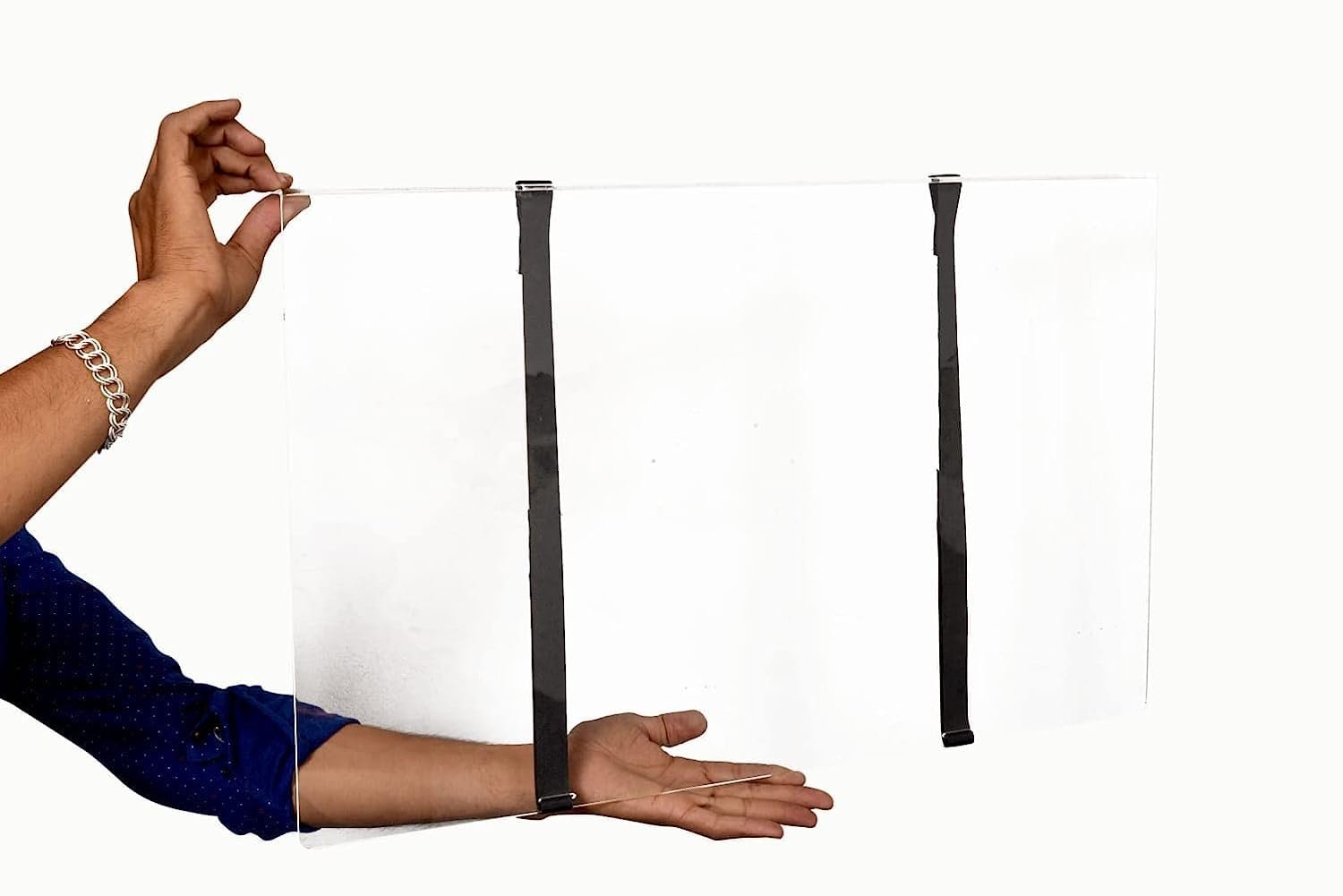
A 55-inch protector fits your TV only if its listed size matches your actual screen, and the listing may not measure the screen the way you expect.
Look at the listing to see whether it gives the screen diagonal or an overall size, and whether it states a width and height at all. If the listing is still unclear, ask the seller which measurement they used before you buy.
How to measure your screen before you buy a protector
To measure the screen for a protector, start with the width and height, which follow from the 55-inch diagonal. Compare any dimensions a protector lists against those figures.
Check which measurement the seller gives before you order. Some sellers quote a diagonal that includes the frame, so look at the product page, the box, or the manual for your model to see whether the figure covers the screen alone or the frame as well.
You can also test the size in your room. Mark the TV’s footprint on the floor with tape, sit in your usual watching spot, and look at the marked area. Most people find a TV feels larger once it is actually in place, so this check is worth doing before you buy a protector.
Where to buy a 55-inch screen protector and what it costs with shipping
Check the price and shipping charge on the product page of any protector you are considering before you pay. The total at checkout is the figure that matters for your budget, so compare that total rather than the listed price alone.
Before you order, confirm that the listing gives the size for your exact screen. Some sellers count the frame in the diagonal figure, so a protector sized to a 55-inch value may not match the visible glass of your TV. If the listing is unclear, look at the box or manual for your TV model, which will show its screen and overall dimensions. Then measure the visible screen yourself and compare that measurement with the listing before you place your order.
Next steps
Once you have the numbers in hand, mark the outline of the TV on the wall with masking tape or sketch it on paper next to your furniture, so you can see how much room it leaves around the stand or mount. Doing these steps first lets your choices rest on what your space can actually hold.
Screen Guardian sells TV screen protectors in India for 43, 55, 65 and 75 inch TVs. Their static cling protectors need no adhesive and fit Samsung, LG, Sony, Mi and TCL sets. Measure your TV screen using the guide, then order the 55-inch TV screen protector (₹2,999 with free shipping across India) and check the size against your measurements before buying.
Frequently asked questions
Is a 55 inch TV too big for a living room?
No, a 55-inch TV is not too big for a living room. It is about 47.94 inches (121.8 cm) wide, and most people find it suits rooms of moderate size. Aim to sit roughly 7 to 10 feet (2 to 3 m) from it. Very large open-plan rooms are less suited to this size, and a bigger TV may make more sense there.
What is the screen width and height of a 55-inch TV in centimetres and inches, and how is the 55 measured?
The 55 names the span between two opposite corners, so it tells you the diagonal and nothing about the sides. The sides follow from the shape, which is wider than it is tall.
Why do screen dimensions differ from the full TV dimensions listed on a product page?
When you compare numbers, remember that a figure for the screen alone leaves out the frame, so it reads smaller than the space the TV takes up on your unit. For furniture decisions, use the full dimensions on the product page.